Straight to your wallet
The payer sends funds to your address. BroPay never holds them.

Getting paid for your work or paid back by a friend? Send a BroPay link to request USDT or USDC.
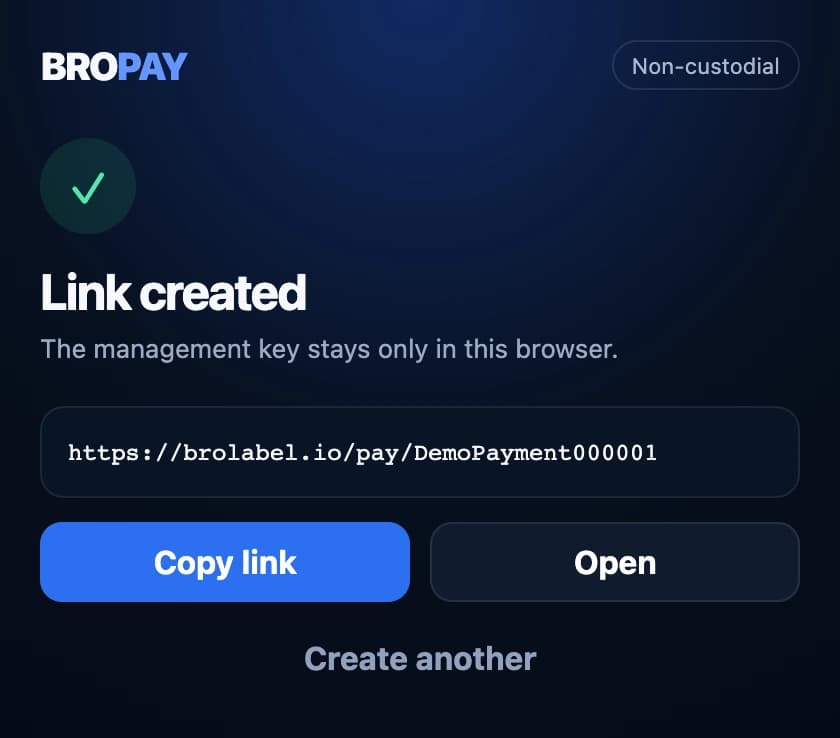
Share the payment link
Real app. Demo data.
Three simple steps, right in Chrome.
Choose the currency and network, then add your wallet address. Your payment link is ready to share.
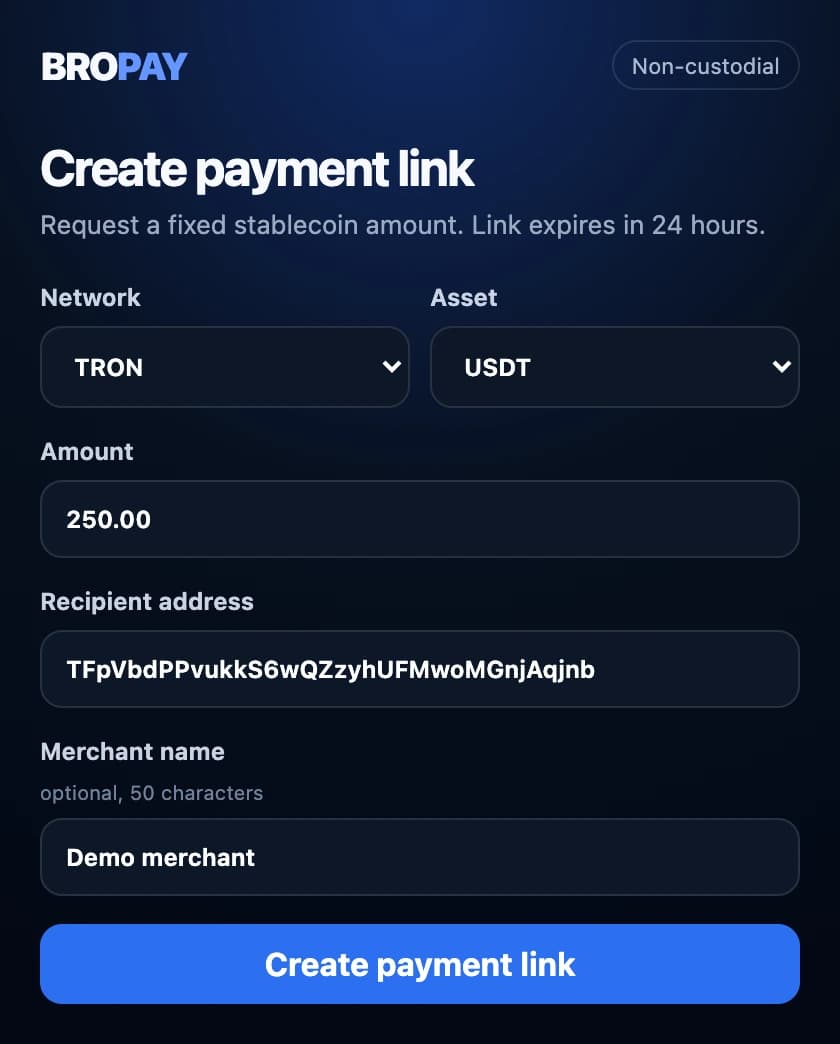
Drop it in a chat. The amount, network, address and QR code are all on the page. No BroPay signup for the payer.
Open your BroPay history to check the status. Confirmed transfers include a link to the transaction.
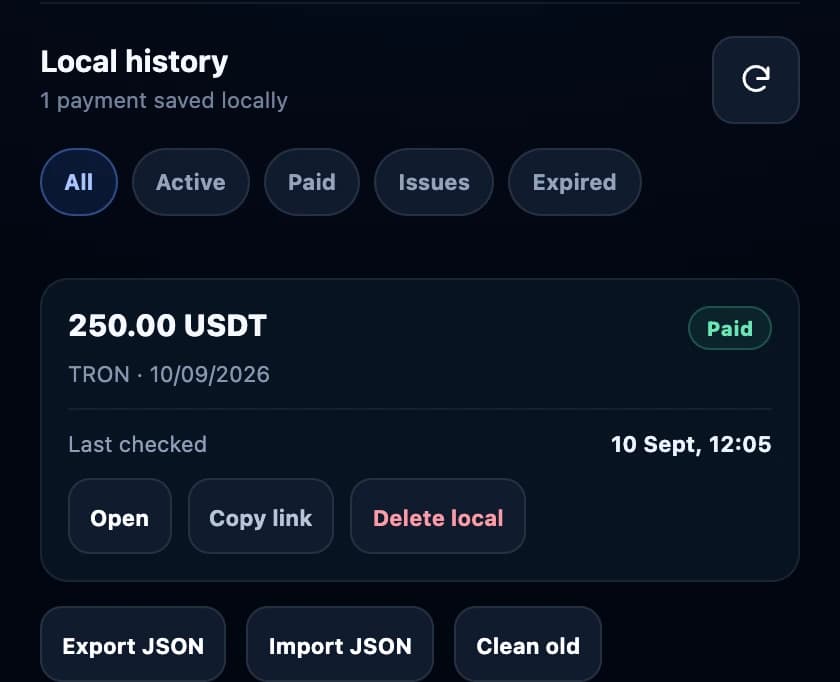
Real app. Demo data.
Add to ChromeBroPay makes payment requests clear and helps you check the transfer.
The payer sends funds to your address. BroPay never holds them.
No private keys, recovery phrase or wallet connection requested.
Creating and checking links is free. Network fees may apply to the transfer.
Chrome on a computer and your own wallet address on a supported network. Add BroPay from the Chrome Web Store and create your first request.
No. They open the link in a browser and send the funds from their own wallet. No BroPay account or extension is required.
USDT on TRON, plus USDT and USDC on Ethereum. The payment page shows the required currency, network and exact amount.
No. BroPay creates payment links and checks transfers using public blockchain data. It does not provide a wallet or buy, sell or exchange crypto.
No. The payer sends funds directly to your address. BroPay only shows payment details and status. It never holds funds, connects wallets or signs transactions.
A request lasts 24 hours. BroPay checks individual transfers for the requested amount and waits for network confirmation. Underpayments and overpayments are shown separately; partial transfers are not added together.
Add BroPay to Chrome for free. Less explaining payments. More time for you.
Add to Chrome